

League of Legends: Wild Rift has truly created a real sensation on its launch day in the Vietnamese market, and it’s not hard to understand why a mobile MOBA masterpiece nurtured by Riot Games – the creator of the esports icon League of Legends – has been so warmly welcomed by the community.
In addition, having a character system inherited from the PC version of League of Legends is a huge plus that helps League of Legends: Wild Rift score points in the eyes of MOBA game enthusiasts.

One of the current concerns of the gaming community is how to experience League of Legends: Wild Rift anytime, anywhere, and on any platform. Besides mobile devices, seeking a fresh feeling with the fast-paced life-and-death matches of League of Legends: Wild Rift right on your PC is also an experience worth noting, and the NoxPlayer emulator is the most suitable solution for that need.
Download and play League of Legends: Wild Rift on NoxPlayer
Since version 6.6.1.5, NoxPlayer has added the feature to set keyboard mappings for each character class, and even for individual heroes in League of Legends: Wild Rift, something that no other emulator on the market has been able to achieve.

To use this feature, players just need to access League of Legends: Wild Rift on NoxPlayer, then click on the Keyset interface within the emulator.
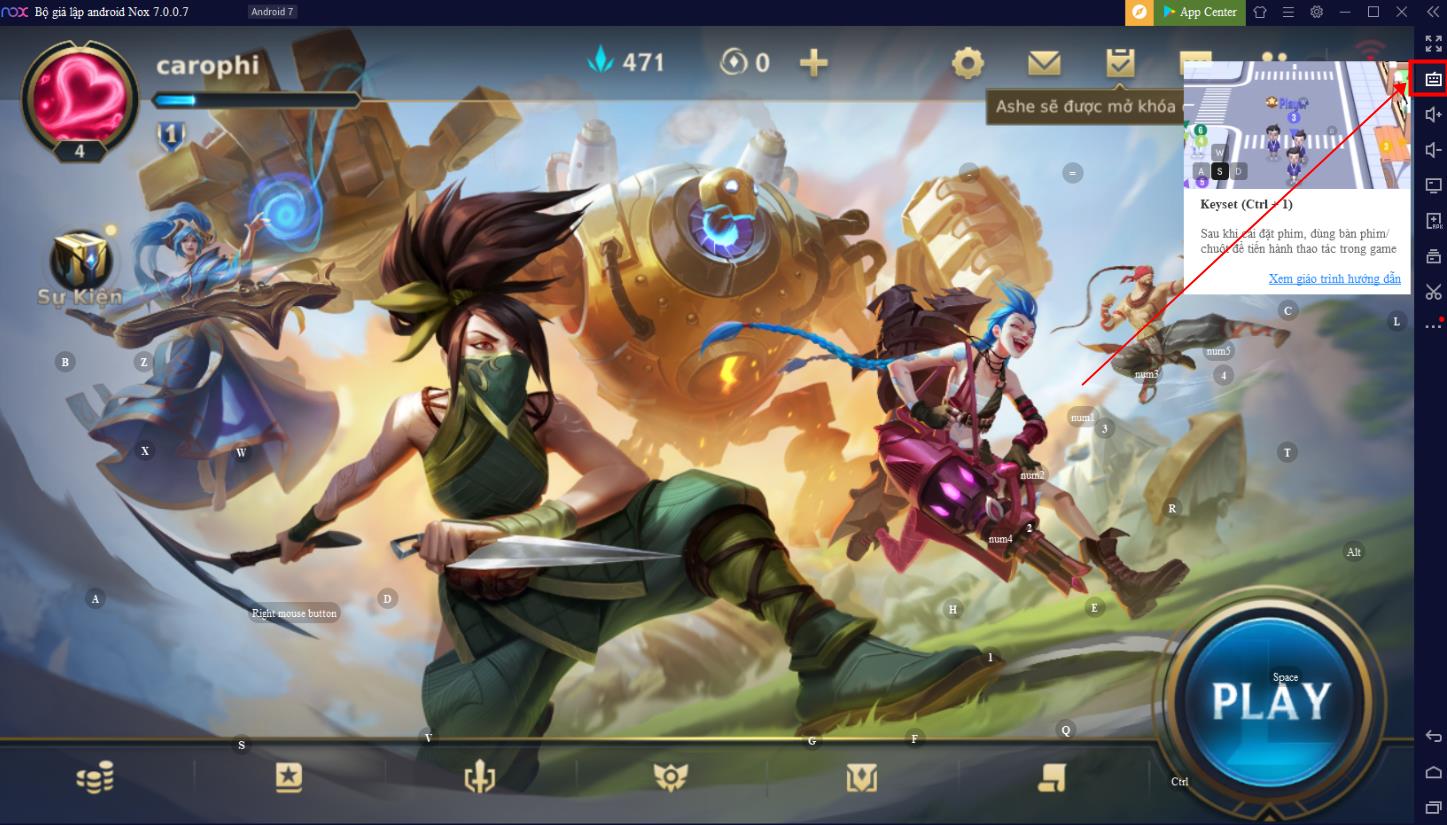
The Keyboard Control section will provide suggestions for control button settings suitable for each individual hero. In fact, each different character class will have different control buttons that suit their specific characteristics such as Mage, Marksman, Fighter, Assassin…
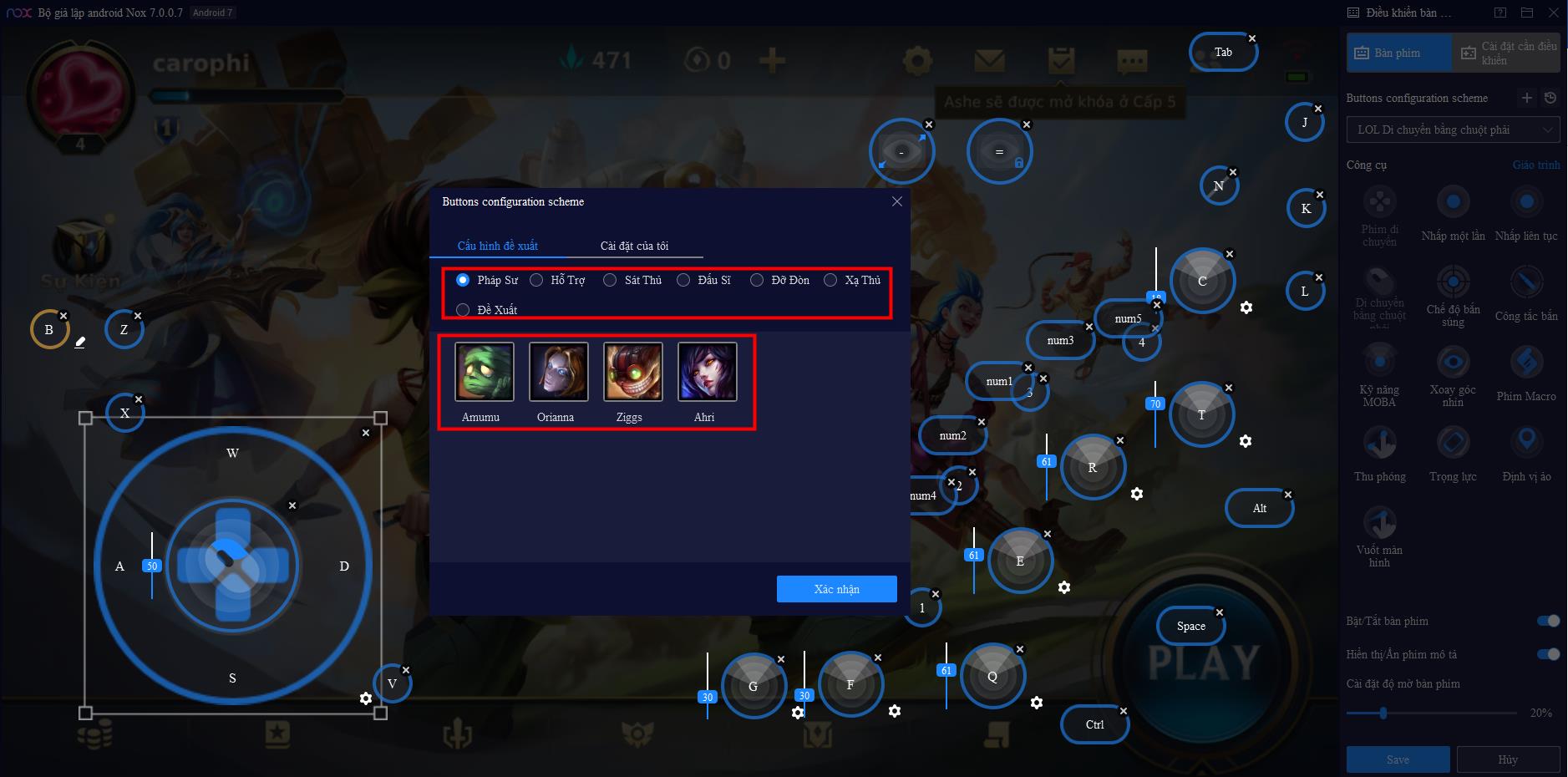
With this suggested control feature, players will even experience utilities that are more versatile and superior than the original League of Legends on PC, with customizable key configurations according to personal preferences and habits that are unique to the NoxPlayer emulator.
Besides that, one of the features that excites many gamers the most when playing League of Legends: Wild Rift through NoxPlayer is the screen recording feature that starts immediately when playing the game. This useful feature allows gamers to capture memorable moments and highlight plays without needing any external tools or applications.
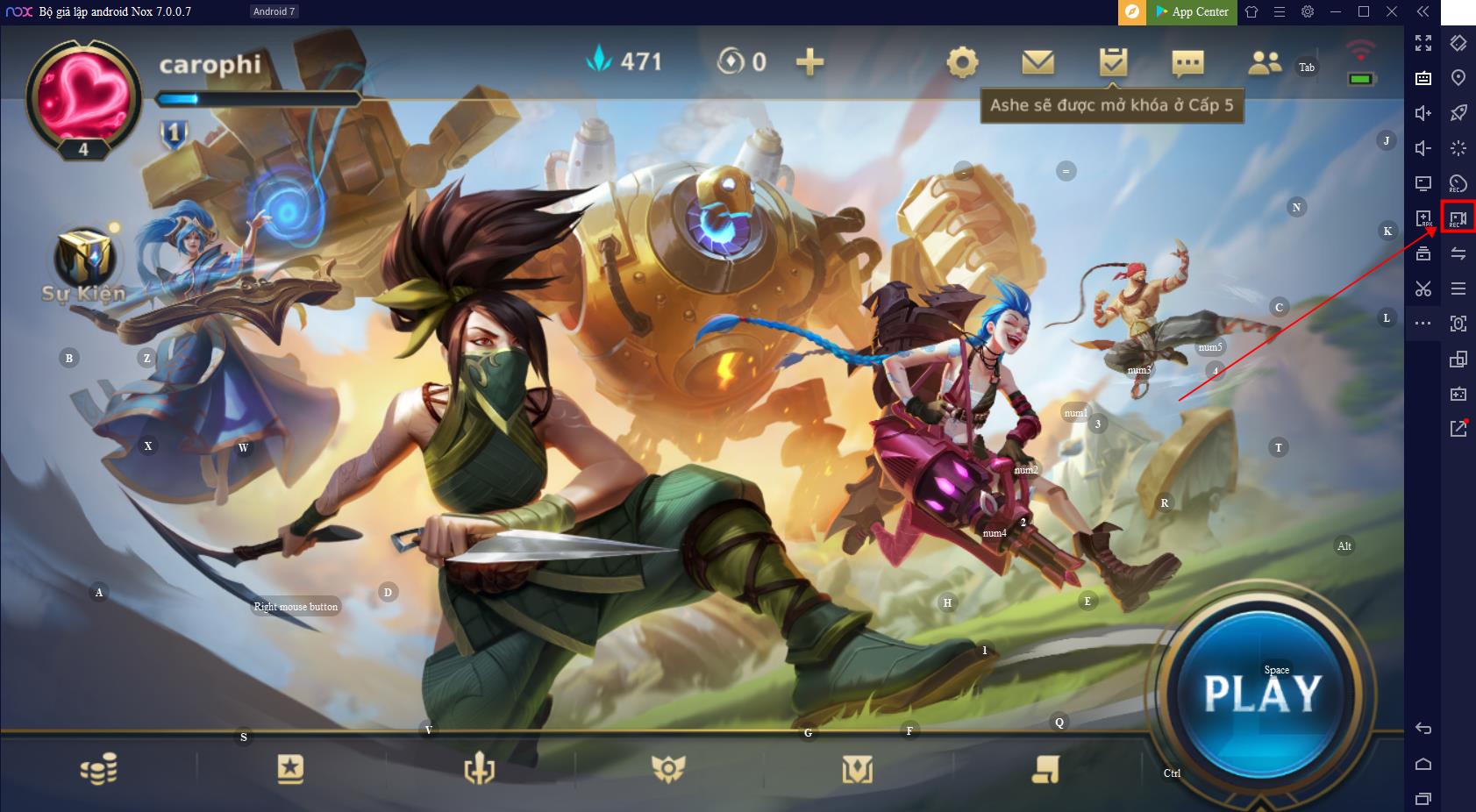
GUIDE TO DOWNLOAD AND PLAY LEAGUE OF LEGENDS: WILD RIFT ON PC
To enjoy a great experience with League of Legends: Wild Rift on PC, players just need to follow these simple steps:
Step 1: Visit https://vn.bignox.com/?utm_source=gameklmht to download version 6.6.1.5 of NoxPlayer.

Step 2: On the main interface of the NoxPlayer emulator application, select the search option and type in the keyword “League of Legends: Wild Rift” or “LoL Wild Rift”.
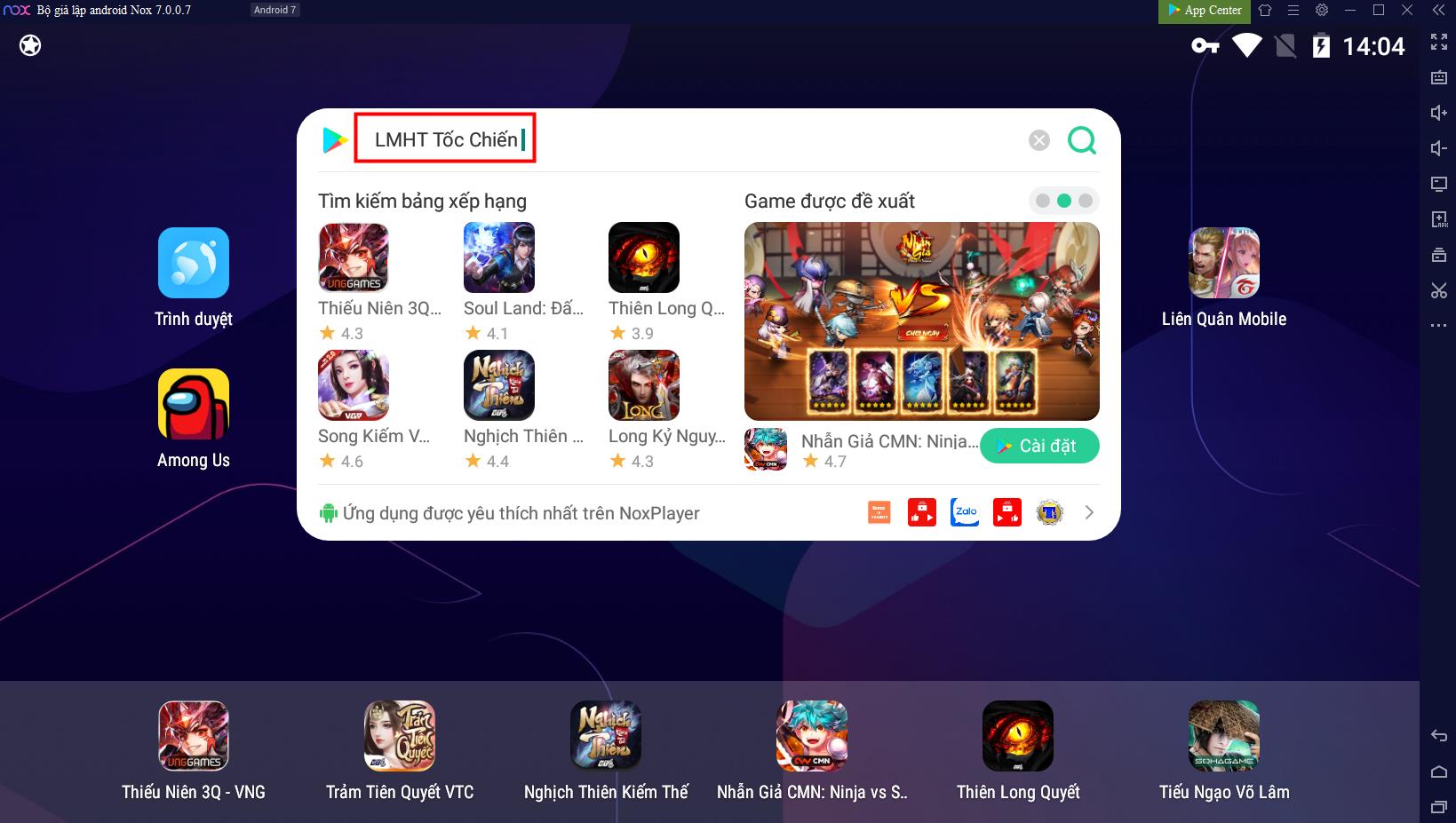
Step 3: In the application search category, select the correct name of the application League of Legends: Wild Rift, and the game interface will immediately display.
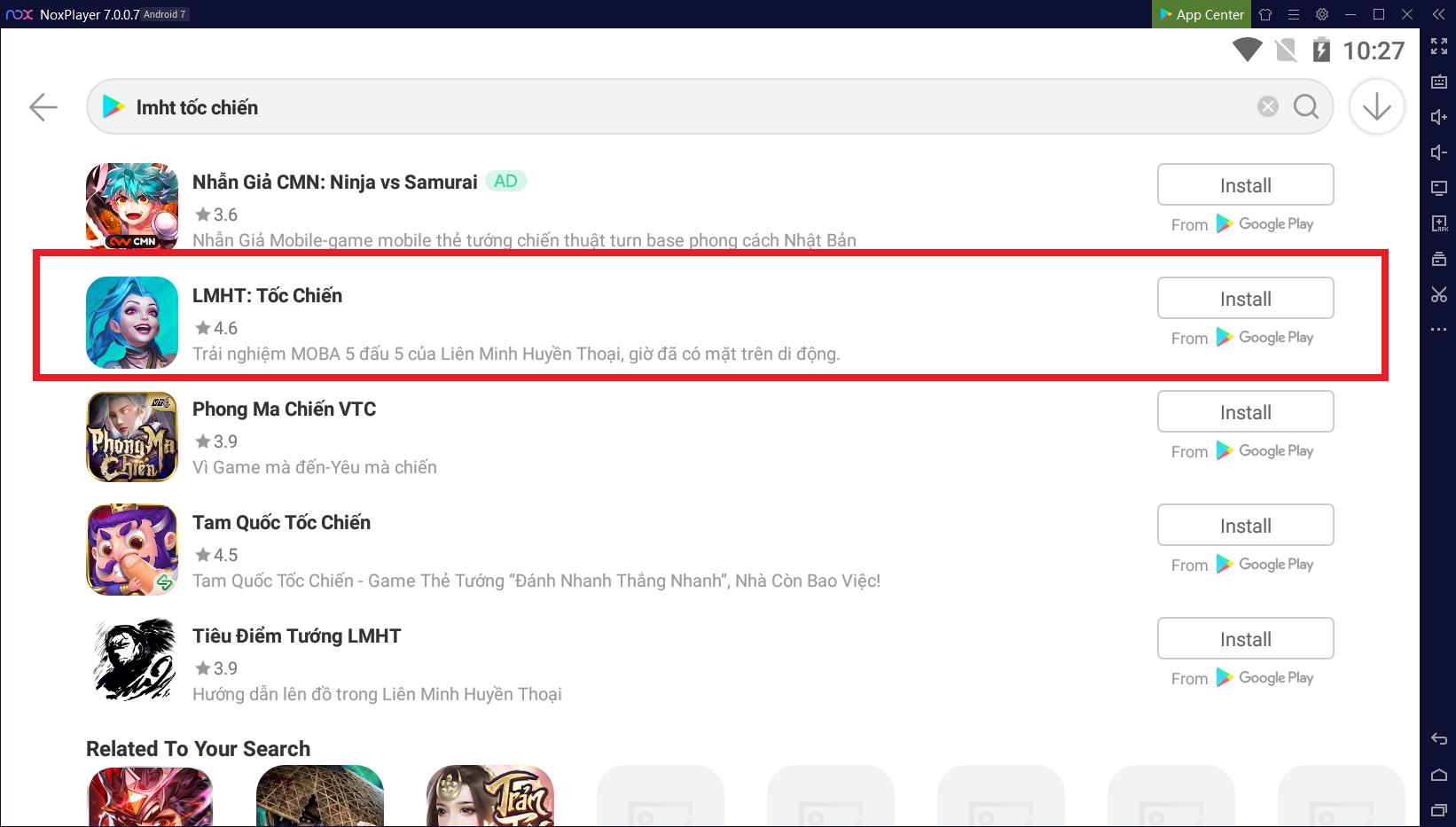
Step 4: Click Install to proceed with downloading the game.
GUIDE TO SET UP LEAGUE OF LEGENDS: WILD RIFT AT 100 FPS ON NOXPLAYER EMULATOR
Step 1: Reinstall and increase the configuration in NoxPlayer emulator.
a. Click the Settings button in the top right corner of the emulator.
b. Select feature settings.
c. In the feature settings, select the highest level (4 core CPU 4096 MB)
d. Click Save settings.
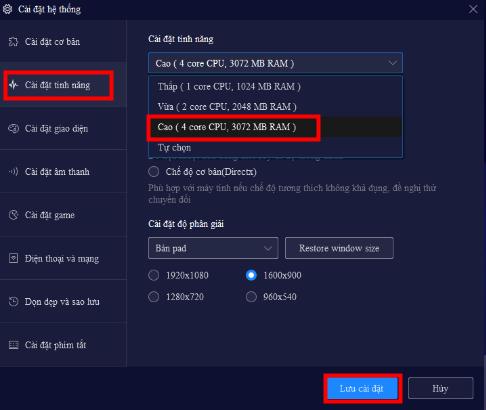
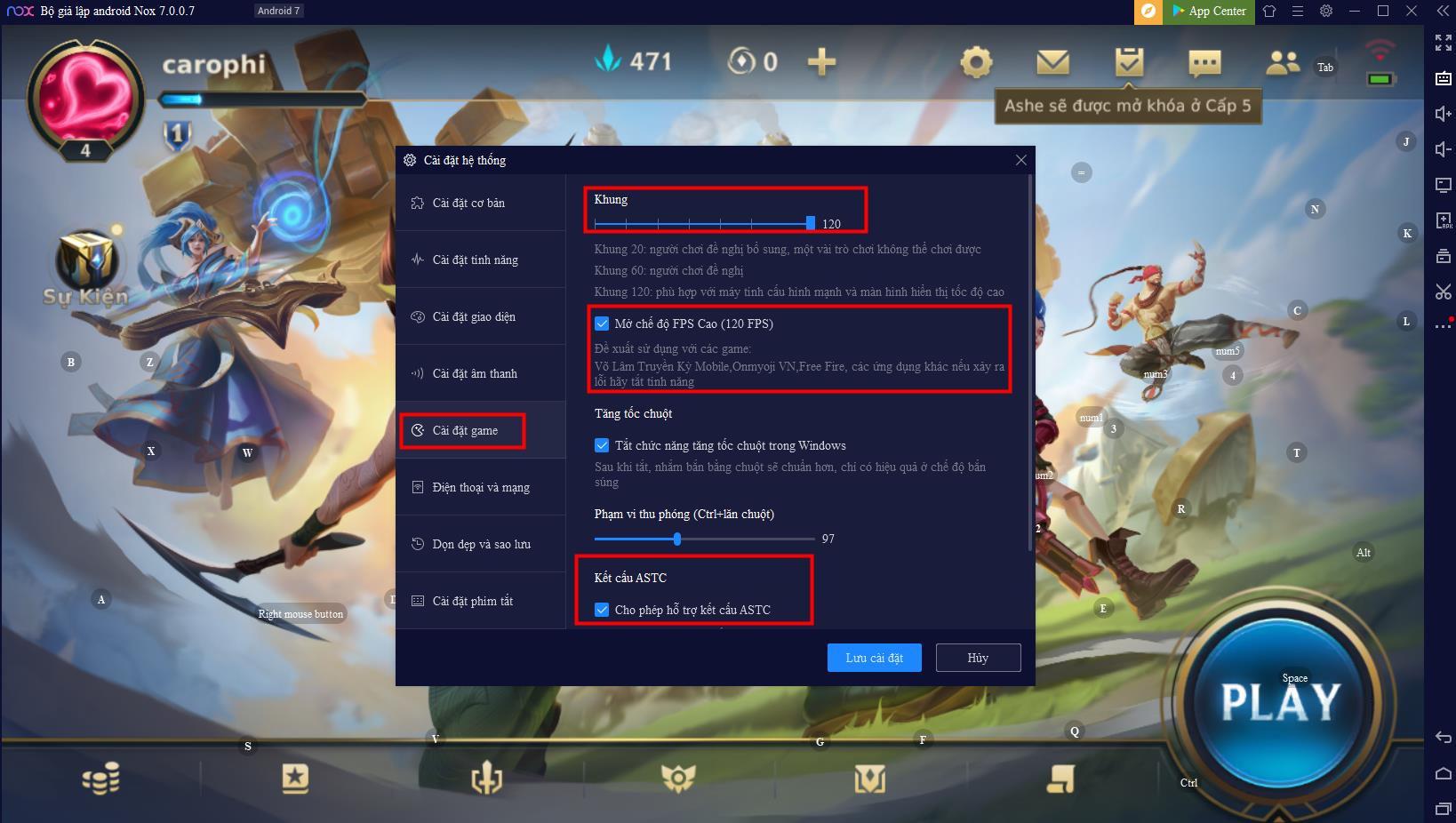
Step 2: Increase the FPS in the emulator.
a. In the game settings, click to enable High FPS mode (120 FPS).
b. Set the Frame option to the maximum level of 120.
c. Check both Allow ASTC texture support and Allow memory caching rendering.
Step 3: Configure inside the game League of Legends: Wild Rift.
a. Click the Settings icon in the top right corner of the game interface.
b. Select Graphics, toggle on the 60 FPS option.
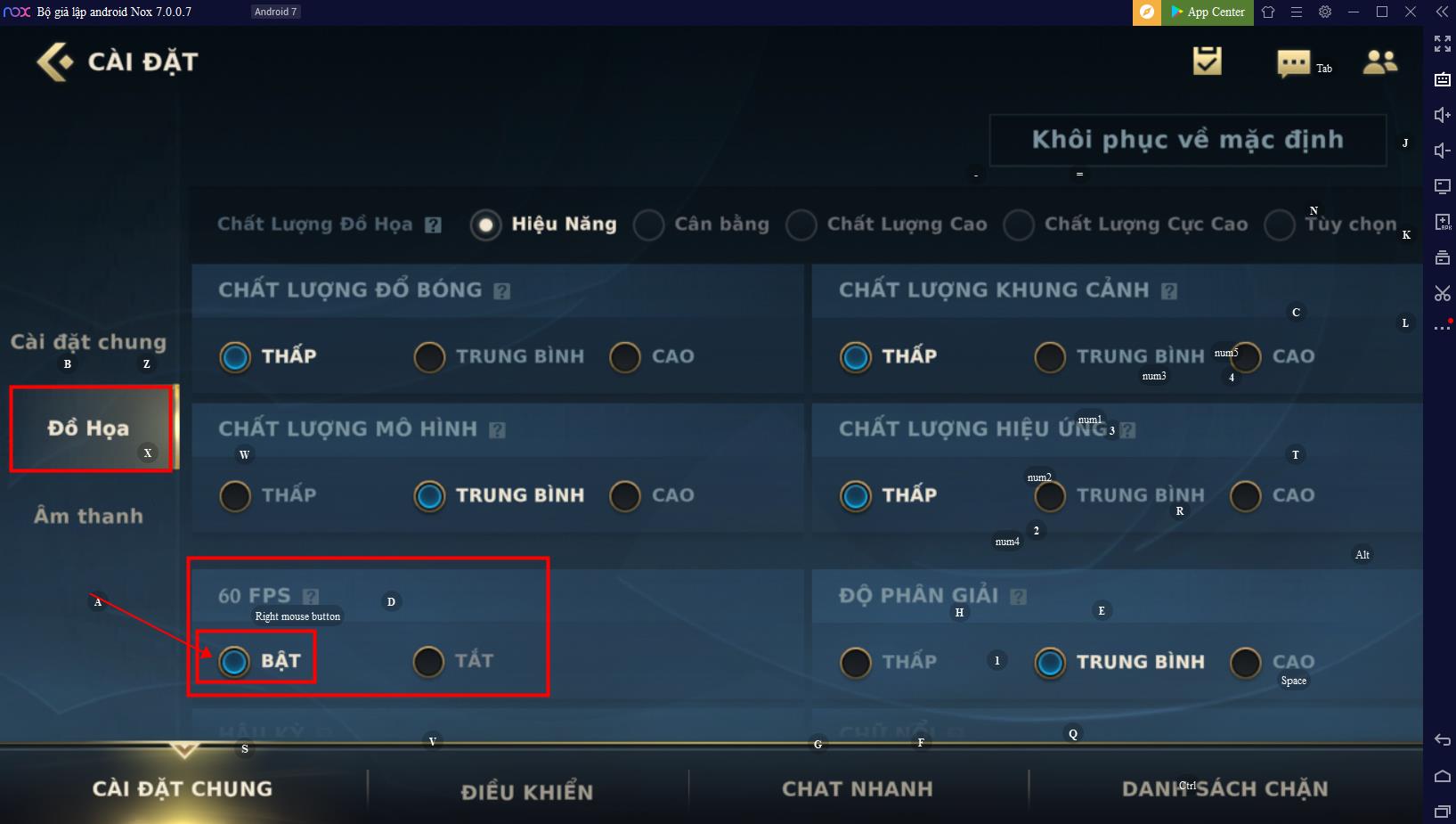
Now you can experience League of Legends: Wild Rift fast and smoothly at 60, even 100 FPS on the NoxPlayer emulator.
Right after its release, League of Legends: Wild Rift is set to enter its first Big Update version in the Vietnamese region. In the upcoming update, players will be greeted with the introduction of 3 new champions: Darius, Draven, and Wukong – the Monkey King.
Additionally, the game also features a variety of rich events and missions, from beginner tasks to battlefield experiences, not only allowing players to delve deeper into the game but also offering the chance to obtain up to 20 champions and 4 skins completely free through mission rewards.
Furthermore, to celebrate the arrival of League of Legends: Wild Rift to Vietnamese players, NoxPlayer is also hosting an event to experience League of Legends: Wild Rift on the NoxPlayer emulator with exciting participation content and many attractive gifts for fans of this game. You can find more detailed information and participate in activities on NoxPlayer’s official Fanpage here: https://www.facebook.com/VNnoxplayer/.