

Enable the “Pin Shop” Feature
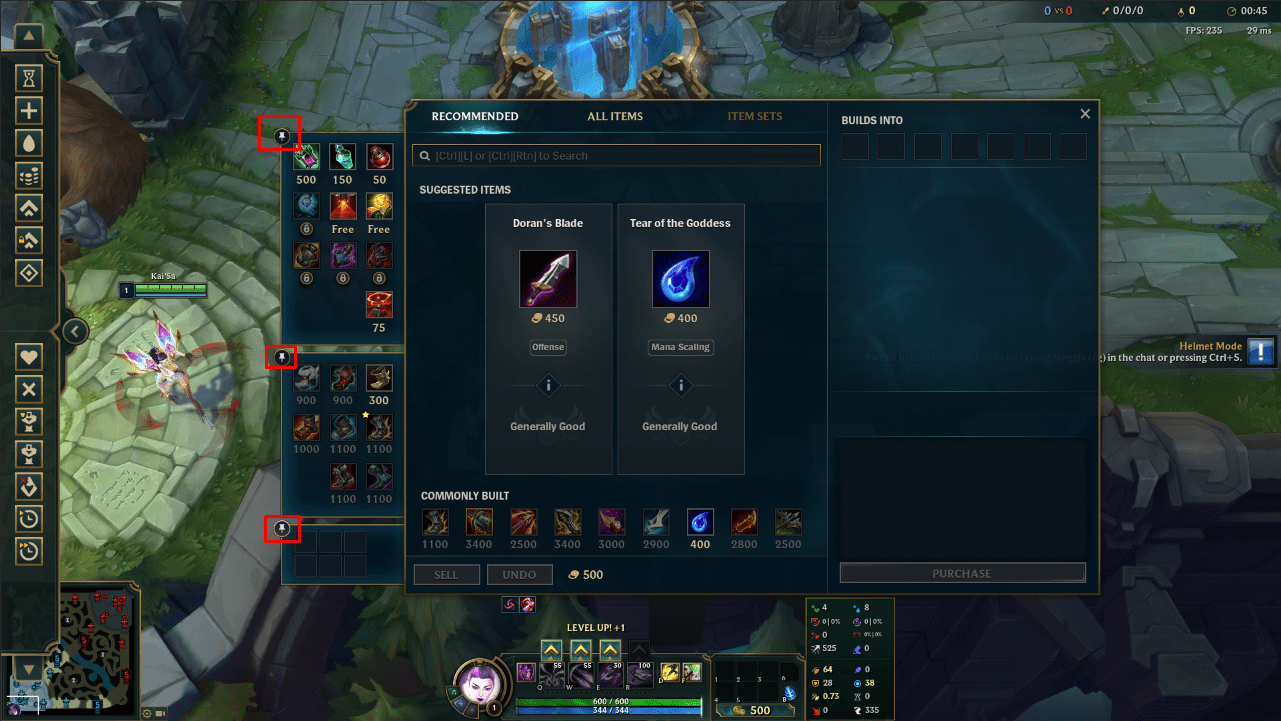
The fact is that the new interface of the LoL shop makes it difficult for players to track and purchase healing items, accessories, and boots. This is because the display of these items has been minimized and is located on the side of the LoL shop. To purchase these items, you need to hover over the display box to expand it; otherwise, you have to search in the “All Items” section.
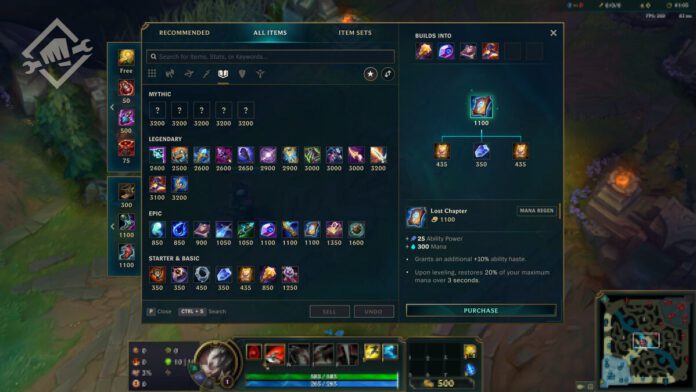
To address this inconvenience, players should use the “Pin Shop” feature. When you point to the display on the side of the shop, a small pin icon will appear, and you just need to click on it. This feature will keep the display of healing items, accessories, and boots always clear when you open the shop interface. This significantly improves the speed at which players can purchase items.
Select Your Favorite Champion
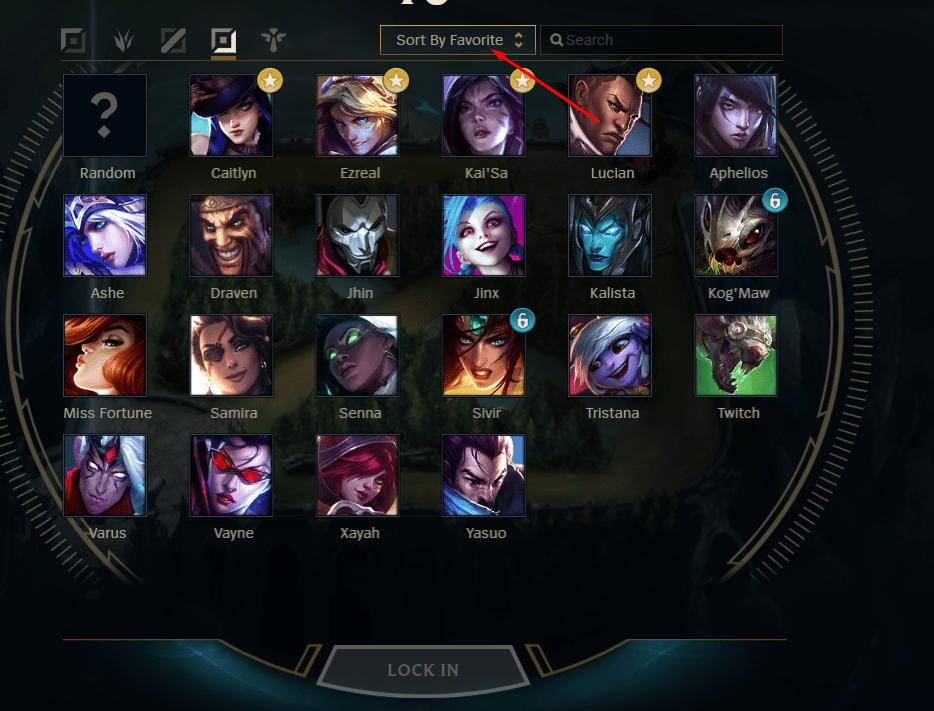
With LoL now having 153 champions, finding your favorite character has become increasingly difficult. To help players search for and organize their favorite characters more efficiently, Riot Games has introduced the “Select Favorite Champion” feature. Specifically, when in the ban/pick interface, you just need to right-click on the champion you want and set it as a “favorite champion” based on the position.
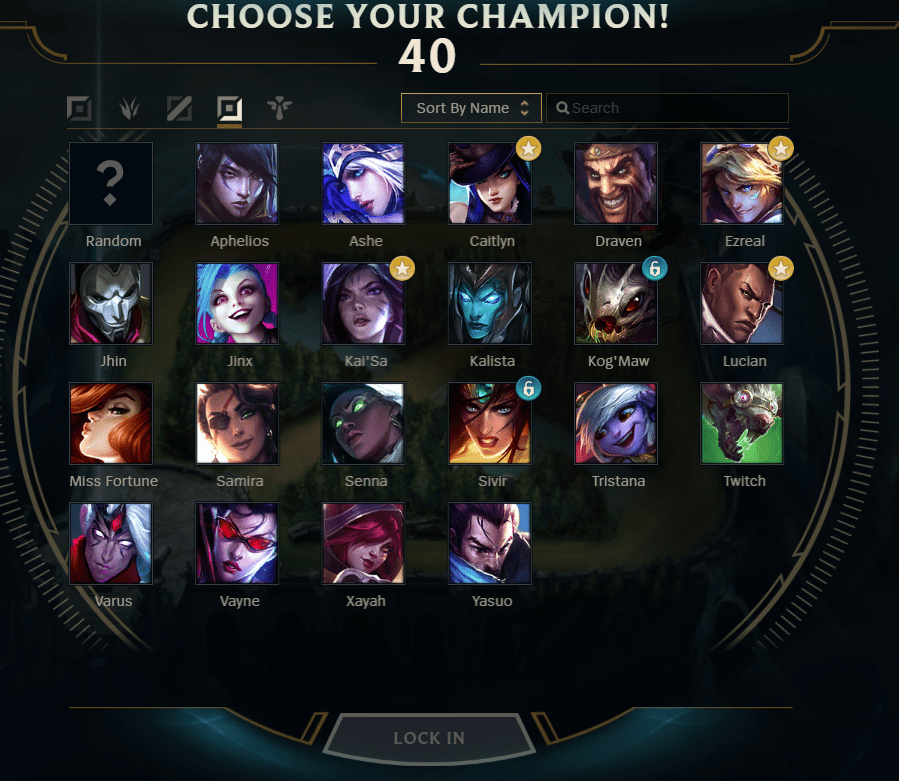
After selecting, you can use the “sort by favorite champion” section, and those champions will be displayed first. This helps players choose their favorite champion quicker than usual. Consequently, players will have more time to select the appropriate runes for the match. Of course, you can do this in Practice Mode to save time.
Enable the “Show Timers” Feature
With the ability to ping your summoner spells and skills, as well as those of your opponents, enabling the “Show Timers” feature is advisable. It helps players easily and accurately remember important timings such as the cooldowns of Flash, Teleport, Ignite, etc. All you need to do is go to the “Interface” section and check the “Show Timers” box.
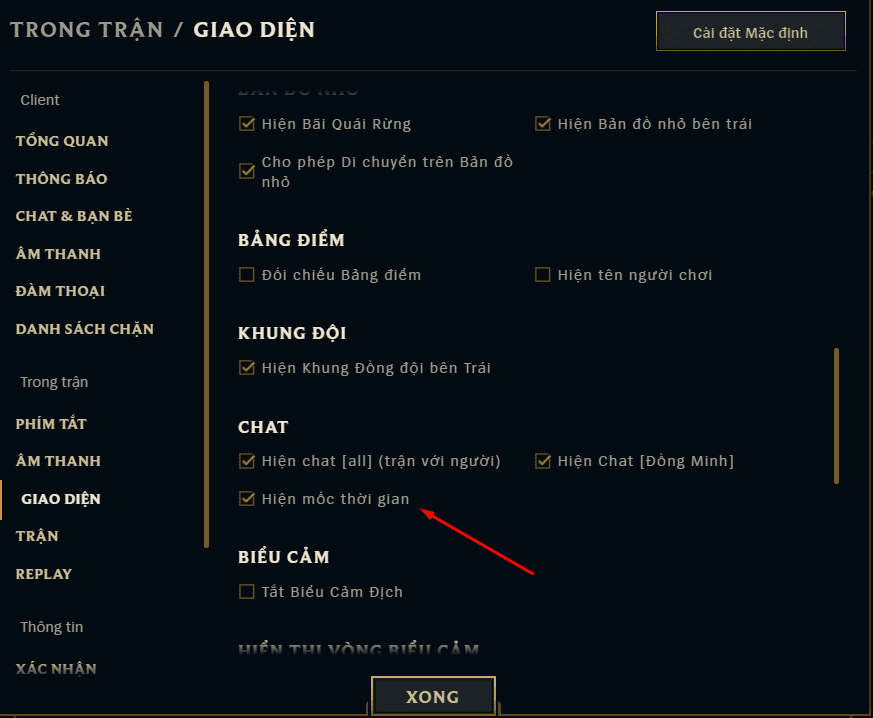
Increase Clarity of Combat Sounds
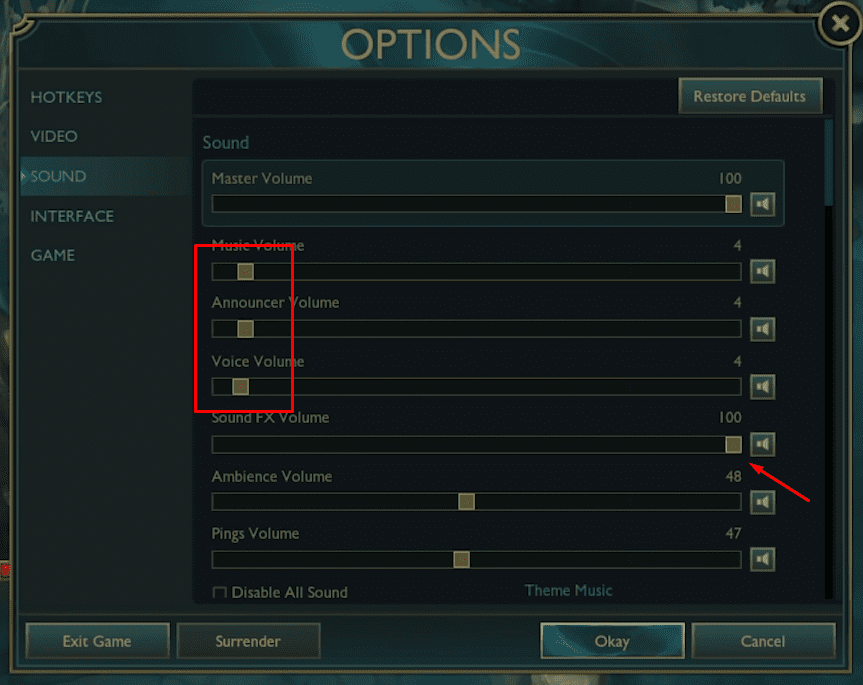
In LoL, there are many things that produce in-game sounds, from activating emotes, chatting, to using skills… Recognizing dangerous skills coming toward you (like Sion’s Unstoppable Onslaught) through sound is extremely important. Sometimes it can even decide the fate of the match.
To achieve this, you should lower the volumes of notifications, pings, and the environment… This way, the sounds from skills in combat will become clearer and help you recognize what dangers threaten you.
Do you want to learn elite ranking tips? Don’t want to miss information about your favorite players or teams? Can’t sit still in front of the hot dramas in the Vietnamese Esports scene? Download the GameK app HERE to keep up with the hottest and earliest updates on the developments of the gaming scene both locally and internationally!